
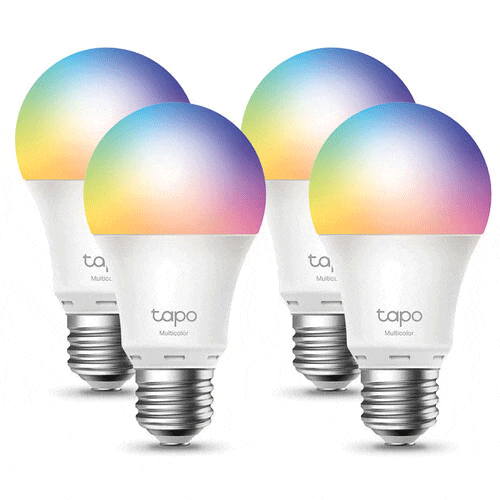
TP-Link Tapo L530E Smart Wi-Fi Light Bulb (Multicolor, 4-Pack)
KSh 7,900.00
- 806-Lumen Output
- Dimmable
- 15,000-Hour Lifespan
- 2500-6500K Color Temperature
- 2.4 GHz Wi-Fi Connectivity
- Customized Scheduling & Timer
- Tapo App for iOS & Android
- Use with Amazon Alexa & Google Assistant
- No Hub Required for Operation
Kindly Note: Prices and Stock Status are Subject to Change without Prior Notice
TP-Link Tapo L530E Smart Wi-Fi Light Bulb (Multicolor, 4-Pack) in Kenya
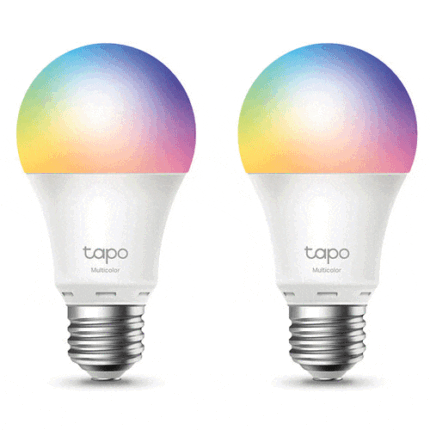
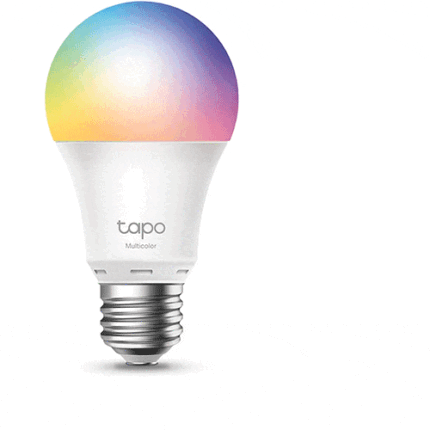
TP-Link Tapo L530E Smart Wi-Fi Light Bulb (Multicolor, 4-Pack) Price in Kenya is Ksh.7,900.Control your light fixture from anywhere with the multicolor Tapo L530E Smart Wi-Fi Light Bulb from TP-Link, bundled here in a pack of four. Thanks to Wi-Fi connectivity, a hub is not required to operate these bulbs. Simply download the Tapo app for iOS and Android to customize schedules, control scenes, set timers, and adjust settings.Buy TP-Link Tapo L530E Smart Wi-Fi Light Bulb (Multicolor, 4-Pack) at best price in Kenya at Starmac.
Delivering an 806 lumen output, these bulbs feature a 2500- to 6500-Kelvin color temperature range and a 1-100% dimmable range. A lifespan of 15,000 hours ensures that the bulbs will last for many years to come. Compatibility with Amazon Alexa and Google Assistant enables seamless voice commands.
TP-Link Tapo L530E Smart Wi-Fi Light Bulb (Multicolor, 4-Pack) Price in Kenya
| Price in Kenya
Lumens |
|
| Light Output | |
| Socket Type | |
| Dimmable | |
| Power Consumption | |
| Input Power |
| Lumens | |
| Light Output | |
| Color Temperature | |
| Beam Angle | |
| Color Accuracy Standard | |
| Number of Bulbs |
| Socket Type | |
| Dimmable | |
| Tungsten Equivalent | |
| Virtual Assistant | |
| Wi-Fi | |
| Bluetooth |
| Power Consumption | |
| Input Power |
| Expected Lamp Life | |
| Certifications | |
| Dimensions |
Related products
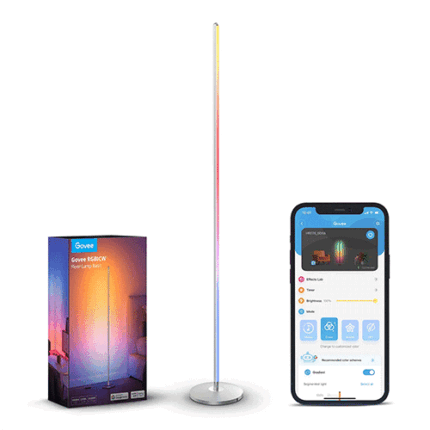
Govee RGBICW Smart Corner Floor Lamp
- Energy-saving technology: LED bulb with RGBICWW technology.
- Lifespan: Up to 50,000 hours of lighting.
- Control: By voice, Govee Home application, or remote control.
- Color gamut: 16 million colors and 64 color modes.
- Music Sync: 6 music modes for light synchronization.
- Timer: Set the time to turn the lighting on and off.
- Color temperature: adjustable between 3300 and 4300K.
- Luminous flux: Maximum luminous flux up to 1000 lumens.
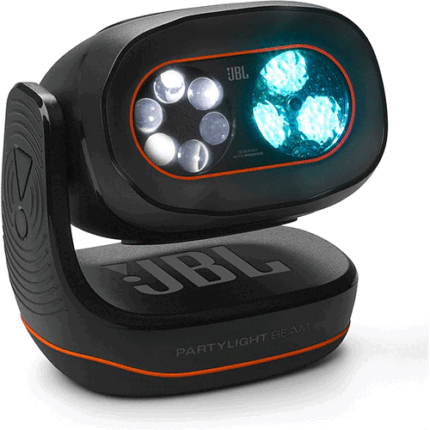
JBL PartyLight Beam Bluetooth Projection Light
- Take your party to the next level
The JBL PartyLight Beam syncs automatically with JBL PartyBox* lightshow or your music, turning your party into an awesome sensory experience.
*Auracast enabled - Room-filling party atmosphere
Just one JBL PartyLight Beam can fill a room up to 400 square feet (40 square meters) with 20 watts of immersive light shows. - Choreographed Lightshow
With multiple JBL PartyLight Beams connected together, the built-in music detection algorithm will create an even bigger group lightshow—all in less than a minute. - Built-in mic with a music detection algorithm
Even though the JBL PartyLight Beam is designed to pair with PartyBox speakers, you can also use it on its own. Featuring a built-in microphone and a music detection algorithm, the JBL PartyLight Beam automatically identifies and syncs to any music device that’s playing. - Match your energy
Set the mood of the moment with adjustable motion, speed, and intensity levels that take the vibe from mellow to medium to peak party excitement. - JBL ONE app / PartyBox app
Use the JBL ONE app or PartyBox app to adjust lightshow’s speed, colours, patterns and even connect multiple JBL PartyLight Beams, right at your fingertips. - Easy to turn the light on and off
Rotate the JBL PartyLight Beam to turn it on. Swing it back into position to turn it back off. It’s that simple.