
Logitech G Flight Sim Rudder Pedals
KSh 46,000.00
Kindly Note: Prices and Stock Status are Subject to Change without Prior Notice
Logitech G Flight Sim Rudder Pedals in Kenya.
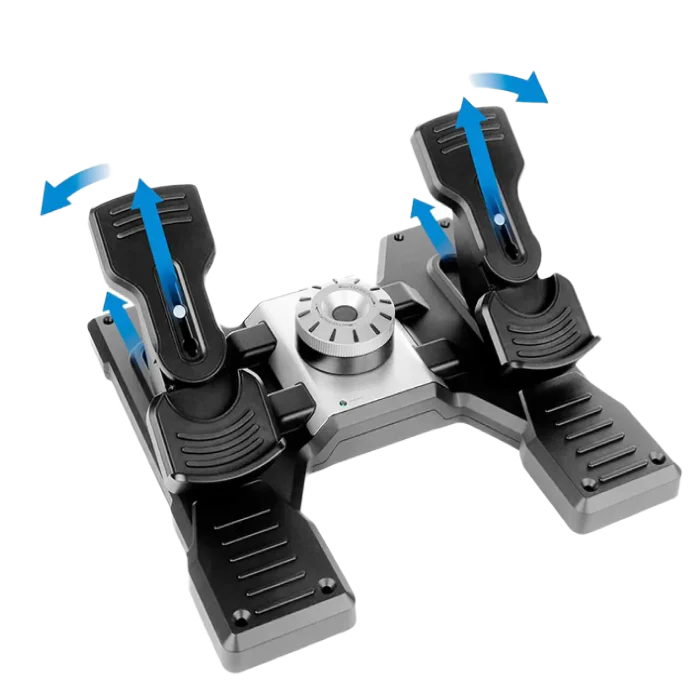
Logitech G Flight Sim Rudder Pedals price in Kenya is at Ksh46,000. Smooth and accurate self-centering rudder pedals add another layer of realistic control to your flight simulation setup
Whether you prefer the lighter response of a small aircraft or the more robust feel of a heavy jet, a simple twist of the Adjustable Tension Dial will have you flying your way.
Differential Toe Brakes deliver the full control you need when bringing your aircraft up to its stand on the runway
Platform Compatibility: Windows 7, 8, 8.1 and 10, Internet connection for optional software download
Technical Specifications: 9-bit Rudder axis, 7-bit Toe Brake axis, USB 2.0-compliant Dimensions (cm): 31x41x17 Weight: 2.3 kg. Buy Logitech G Flight Sim Rudder Pedals t Starmac Kenya
Related products
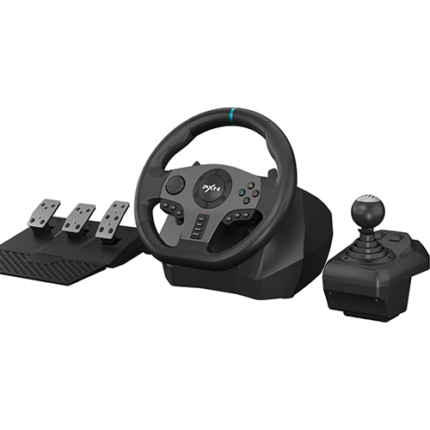
PXN-V9 gaming steering wheel
- 1.Multi-platform compatibility: PXN-V9 gaming steering wheel wired USB connection port game racing steering wheel, compatible with PS4, PS4 SLIM, PS4 Pro, PS3, Xbox One, Xbox Series X/S, N-SWITCH, and compatible with PC, Windows 7/8/10 operating system (Note: The steering wheel defaults to X input mode. When using the shift lever on PC, you need to press and hold the MODE button for 3 seconds to switch to “D input” mode, and then set the shift function in the game.) The shift lever is only available in truck mode. (Apple desktop/MAC laptop/PS5/360 is not supported)
- 2.Original controller guide steering wheel PS4 /Xbox One connects PXN-V9 gaming steering wheel 1. You need to use the PS4/Xbox One original game controller to guide, 2. Before turning on, make sure the host and the original handle are turned off, 3. Use a microusb cable with data transfer function to connect the steering wheel and the original handle, 4. Connect the steering wheel to the host. After the original handle is connected to the steering wheel, turn on the host. 5. After turning on the machine, press the HMOE button on the steering wheel. You can control it and guide it successfully.
- 3.Visual Custom Programming: Use our racing steering wheel to experience first-class visual application custom program programming! Find the “PXN Wheel” application on the Google/Apple App Store and install it easily. We support steering wheel custom angle, sensitivity, vibration intensity adjustment, button function test, mode adjustment, and game button preset scenes. “PXN Wheel” can bring users a better gaming experience.
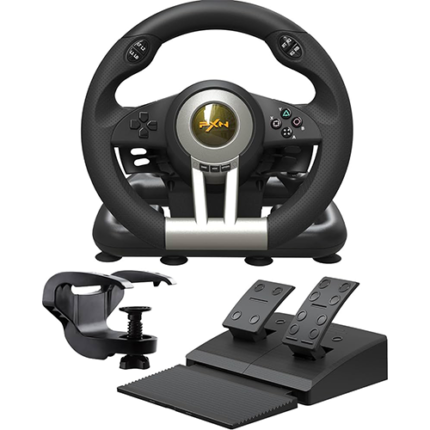
PXN V3 Pro Racing Game Steering Wheel
- Giving the user a racing game experience powered by vibrations and motors.
- USB cable connection is used for high-efficiency usage.
- Dual motor technology provides more control and higher feedback.
- Complemented with specific gaming buttons and skills to enhance the user experience.
- Combined printing technology of Paradive Dynamic Bracket with extensive technology.
- Features 180-degree waterproof and high durability for an instant experience.
- Helps to achieve a more powerful feeling in the vehicle experience on the road or path.
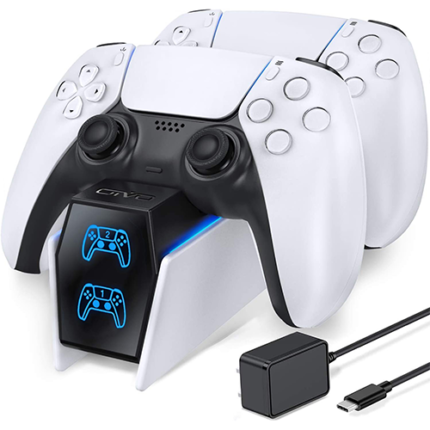
PS5 DualSense Charging Station
- Charge two controllers – Charge up to two DualSense wireless controllers at the same time without having to connect them to your PlayStation 5 console.
- Free up USB ports – Your controllers charge as quickly as when connected to your PS5 console – so you can free up USB ports without sacrificing performance. PS5 DualSense Charging Station price in Kenya
- Click-in design – Dock your DualSense wireless controllers quickly and easily with the charging station’s click-in design and leave them to charge at your convenience.