
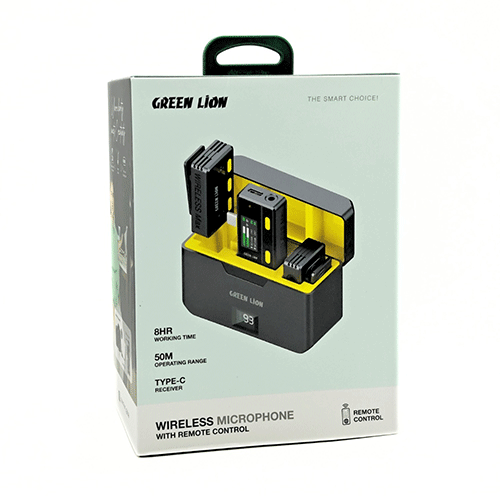
Green Lion Type-C Wireless Mic with Remote
KSh 8,000.00
- Working Time21 Hours
- Frequency Response20Hz-20kHz
- Sampling Frequency48kHz
- Transmission RangeUp to 20m
- Battery (Transmitter)140mAh
- Battery (Charging case)800mAh
- Sensitivity38dB ±3dB
- Signal to Noise Ratio≥75dB
- Signal to Noise Ratio
Kindly Note: Prices and Stock Status are Subject to Change without Prior Notice
Green Lion Type-C Wireless Microphone with Remote Control in Kenya
Green Lion Type-C Wireless Microphone with Remote Control Price in Kenya is Kshs.8,000.Green Lion 3-in-1 360 Microphone is your wireless audio sidekick, ready to capture crystal-clear sound for up to 21 hours! Say goodbye to background noise and hello to clear recordings thanks to its smart noise-canceling tech. Buy Green Lion Type-C Wireless Microphone with Remote Control at best price in Kenya at Starmac.
It easily connects to any device with automatic pairing, and its 360° sound pickup ensures you never miss a beat.Plus, it’s portable and versatile, with both USB-C and Lightning connectors + Aux for easy connection. Experience high-quality audio with its impressive specs and long-lasting battery life. This microphone is the ultimate game-changer for all your audio needs!
How to use Green Lion Type C Wireless Microphone with Remote
1. Product Overview
- Components:
- Wireless Microphone
- Type-C Receiver
- Remote Control
- Charging Cable
- User Manual
2. Charging the Microphone and Receiver
- Initial Charge: Fully charge both the microphone and the receiver before first use.
- Charging Process:
- Connect the charging cable to the microphone and the receiver.
- Plug the other end into a USB power source.
- The LED indicators will show charging status (usually red while charging and green when fully charged).
3. Power On/Off
- Microphone:
- Press and hold the power button for 2-3 seconds until the LED indicator lights up.
- To turn off, press and hold the power button again until the LED indicator turns off.
- Receiver:
- Plug the receiver into the Type-C port of your device; it should power on automatically.
4. Pairing the Microphone and Receiver
- Automatic Pairing:
- When both the microphone and receiver are powered on, they should automatically pair.
- The LED indicator will turn solid (usually blue) when paired successfully.
- Manual Pairing:
- If they do not pair automatically, press and hold the pairing button on the microphone and the receiver until the LED indicators flash.
- Release the buttons and wait for the indicators to turn solid, indicating a successful pairing.
5. Using the Remote Control
- Power On/Off:
- Some remote controls may have a power button. Ensure it is turned on.
- Functions:
- Volume Control: Use the + and – buttons to adjust the volume.
- Mute/Unmute: Press the mute button to mute/unmute the microphone.
- Additional Functions: Depending on the model, there may be other buttons for echo control or changing channels.
- Pairing Remote:
- If the remote needs pairing, refer to the specific pairing instructions in the user manual. This typically involves pressing a pairing button on the remote and the microphone simultaneously.
6. Connecting to a Device
- Type-C Port: Plug the receiver into the Type-C port of your smartphone, tablet, or computer.
- Device Recognition:
- Ensure your device recognizes the microphone as an audio input.
- You might need to select the microphone in the audio settings of your device.
7. Operating the Microphone
- Volume Control: Adjust the volume using the remote control or buttons on the microphone, if available.
- Mute/Unmute: Use the mute button on the remote control or the microphone.
- Indicator Lights: Understand the meaning of different LED indicators (e.g., power status, battery level, pairing status).
Related products
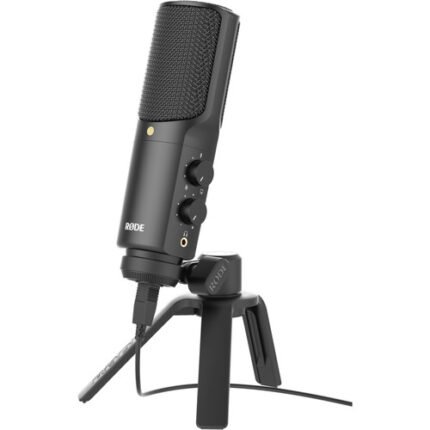
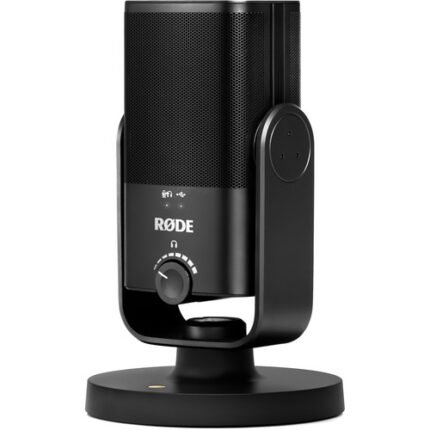
Rode NT-USB USB Microphone
- For Podcasting, Voice-Overs & Music
- Works with Computers & iOS Devices
- Included Pop Filter Minimizes Plosives
- 3.5mm Headphone Jack
- Cardioid Polar Pattern for Room Noise
- Headphone Volume & Mix Control
- Broadcast Quality 48 kHz/16-Bit Audio
- Bus-Powered from Device
- Included Ring Mount & Pouch
- Included Tripod Desk Stand & Cable
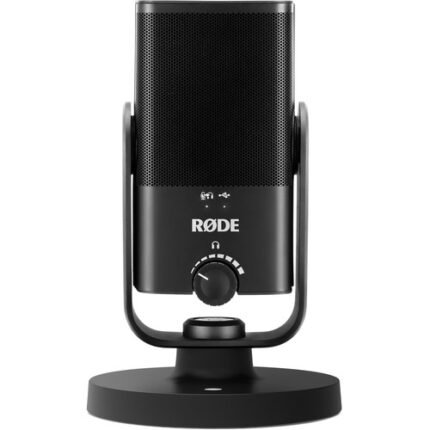
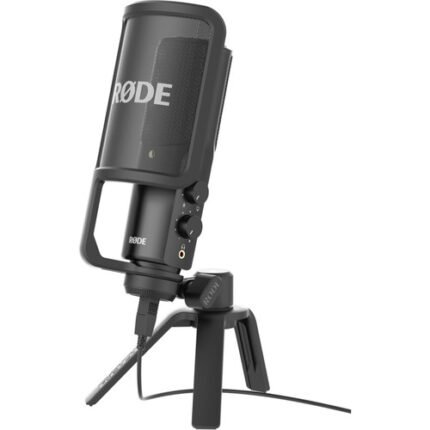
Rode NT-USB Mini USB Microphone
- Designed for Podcasting and Streaming
- Works with Computers and Tablets
- Built-In Pop Filter & Isolation Stand
- 3.5mm Monitoring Jack
- Cardioid Polar Pattern for Room Noise
- Headphone Volume Control
- High-Quality 48 kHz / 24-bit Recording
- Bus-Powered from Computer or Tablet
- No Drivers Required for Operation
- Stand, USB Cable & Thread Included
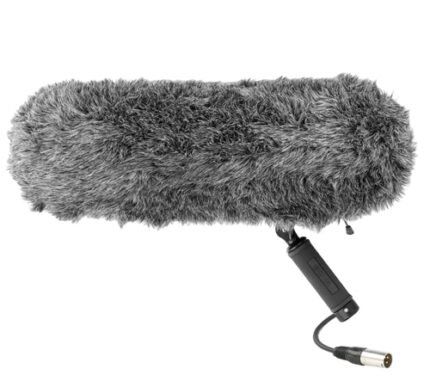
BOYA BY-WS1000 professional windshield
- Isolates from shock and vibration
- Fur windshield included
- Also available using indoor as microphone shock mount
- Fits most of 320mm in length and Φ20-22mm shotgun microphones
- Lightweight anti-skidding handle with 3/8″ thread mount
- Also includes 1/4″ adapter Internal coiled XLR cable Includes carring pouch
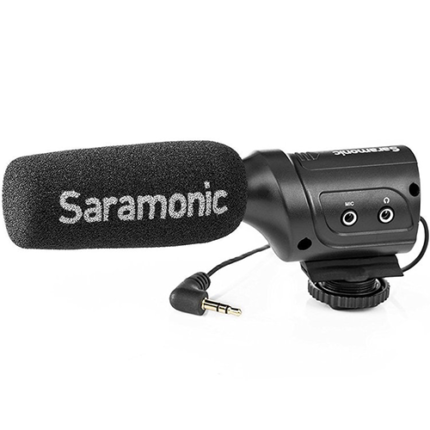
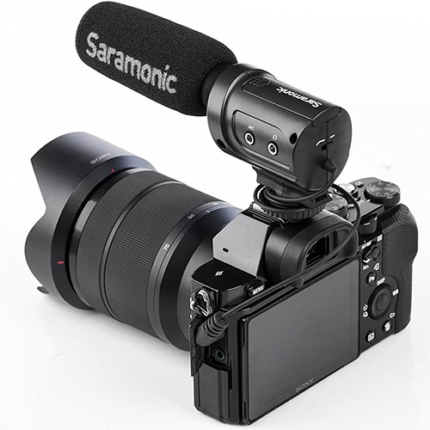
Saramonic SR-M3 On-camera shotgun microphone
Frequency Response:75 Hz to 18 kHz
Type of Microphone: Directional Condenser
Sensitivity: -37dB +/- 1dB
Signal to Noise Ratio: 75dB SPL
Battery: 1 x AAA
Outputs: 1 x wired male 1.8” (3.5 mm) TRS output, 1 x female 1.8” (3.5 mm) headphone output
Input: 1 x female 1.8” (3.5 mm) mic input
Dimensions: 5.5 x 2.3 x 1.6″ (14 x 5.8 x 4.1cm)
Weight: 30g (2.1 oz)
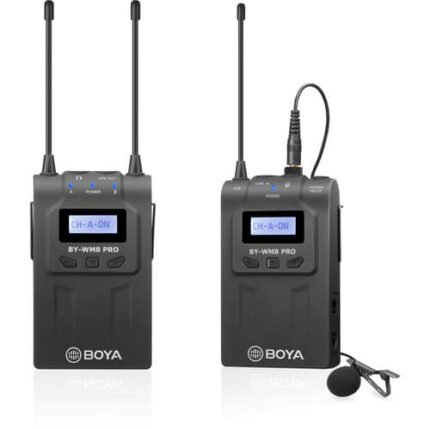
BOYA by-WM8 Pro-K1 UHF Wireless Microphone System
- Compander for High-quality and Clear sound
- Dual-Channel Wireless Receiver
- 48 UHF Channels
- Selectable STEREO/MONO Mode
- Plug and Record Functionality
- Programmable Mute function
- Mic and Line-in
- Camera-Mountable Receiver
- Monitoring sound by headphone output (Receiver)
- Includes Omni-Directional Lavalier Mic
- Includes XLR output cable, Stereo mini plug cable
- More than 6 Hours Continuous Operation
- Operation range can reach up to 100m(300′) (without obstacle)
- Power Supply: Two ( x3 ) AA batteries