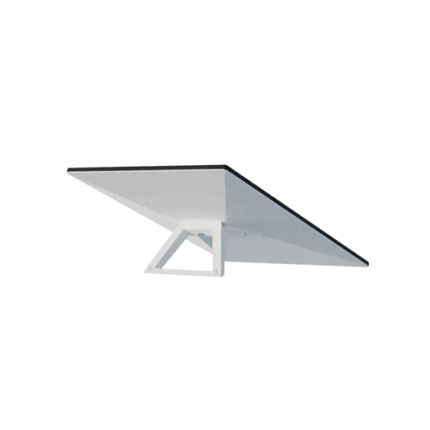

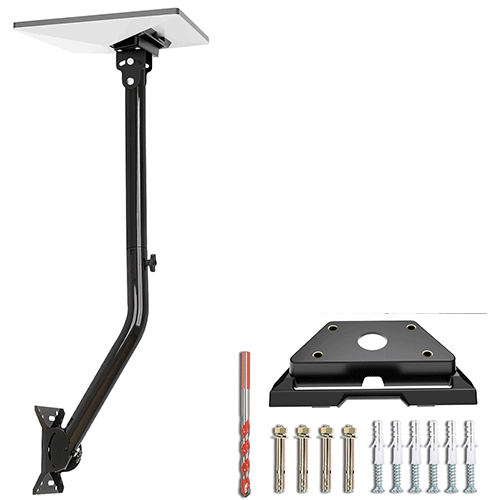
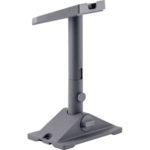
Starlink V3/V4 L Shape Mount
KSh 8,000.00
Kindly Note: Prices and Stock Status are Subject to Change without Prior Notice
Starlink V3/V4 L Shape Mount in Kenya
Starlink V3/V4 L Shape Mount price in Kenya is KShs 8000.Premium Heavy-Duty Construction:Rust-resistant aluminum alloy adapter and reinforced steel tubing—engineered to withstand extreme weather, UV exposure, and heavy loads. Outlasts flimsy plastic mounts with a 5X stronger structure for worry-free, year-round durability
360° Adjustability for Optimal Signal Reception:Get the best possible connection with ease! This Starlink Short Wall Mount allows for 360° rotation, providing you with the freedom to adjust the dish’s direction to capture the strongest signal. Whether you need to position it vertically or horizontally, this mount offers flexible installation options for your specific needs.
Built for Wooden Roofs:This mount is specially designed to work with wooden roofs. The included lag screws ensure a tight and secure fit, providing maximum stability for your Starlink dish. Whether you’re upgrading your home internet or setting up a new location, this mount is engineered for a solid, reliable installation.
Easy Installation – Complete with Instructions and Video Guide:No need to be a DIY expert! Our mount comes with a clear, step-by-step instruction manual and a video guide to help you quickly and easily set up your Starlink V3 dish. Plus, installation is a breeze with the included lag screws, designed specifically for wooden roofs, so you can get your system up and running in no time.
Only for Starlink V3:This Starlink Gen 3 Mount is specifically engineered for the Starlink Gen 3 system. Not compatible with Starlink Gen 2 or the Starlink Mini.
Related products
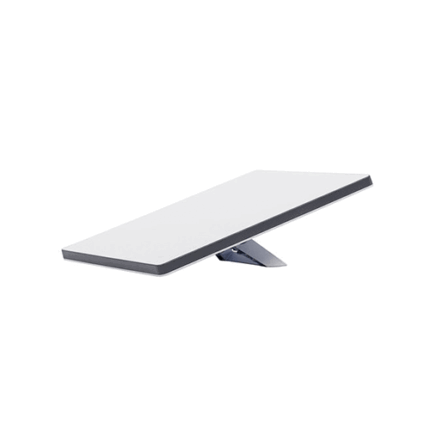
Starlink Mini Kit
- Compact and Portable Design: The Starlink Mini Kit is engineered for mobility, easily fitting into any backpack. Its all-in-one design includes a built-in WiFi router, ensuring you stay connected wherever your adventures take you.
- Effortless Setup: Get online in minutes with a simple two-step setup. Just plug in the device and point it at the sky. The kit comes complete with an integrated router, kickstand, pipe adapter, power cable, and power supply.
- Integrated WiFi Router: Enjoy seamless connectivity with Wi-Fi 5 technology and an Ethernet port for connecting to third-party routers and mesh networks.
- Energy Efficient: With a power consumption range of 25-40 watts, the Starlink Mini Kit is designed to be energy-efficient while delivering top-tier performance.
- Clear Sky View Required: For optimal performance, the Starlink Mini Kit requires a clear view of the sky to connect with satellites.
- Service Plan Required: Activate Starlink by selecting a service plan that is customized to meet your personal needs. Select from plans suited for households or travel. No Contracts.
- Phased-array antenna automatically adjusts to maintain a strong connection, keeping you seamlessly online whether you’re sailing through choppy waters or cruising at high speeds.
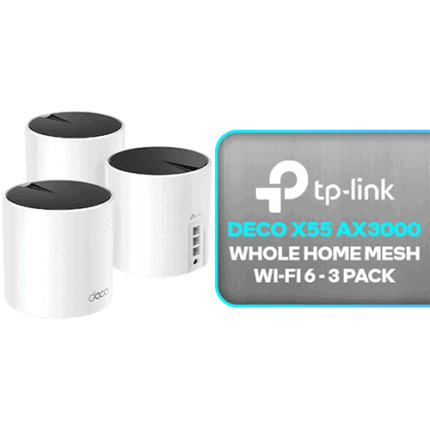
TPLINK DECO X55 AX3000
- Wi-Fi 6 Mesh Wi-Fi - Next-gen Wi-Fi 6 AX3000 whole home mesh system to eliminate weak Wi-Fi for good(2×2/HE160 2402 Mbps plus 2×2 574 Mbps)
- Whole Home WiFi Coverage - Covers up to 6500 square feet with seamless high-performance Wi-Fi 6 and eliminate dead zones and buffering. Better than traditional WiFi booster and Range Extenders
- Connect More Devices - Deco X55(3-pack) is strong enough to connect up to 150 devices with strong and reliable Wi-Fi
- More Gigabit Ports - Each Deco X55 has 3 Gigabit Ethernet ports(9 in total for a 3-pack) and supports Wired Ethernet Backhaul for better speeds. Any of them can work as a Wi-Fi Router
- AI-Driven Mesh - Intelligently learns the network environment to provide ideal WiFi unique to your home
- Easy Setup and Management - The Deco app helps you set up your network in minutes with clear visual guidance and keeps you in control even when you are not home; Works with Alexa as well Turn on or off Guest Wi-Fi by simple voice commands
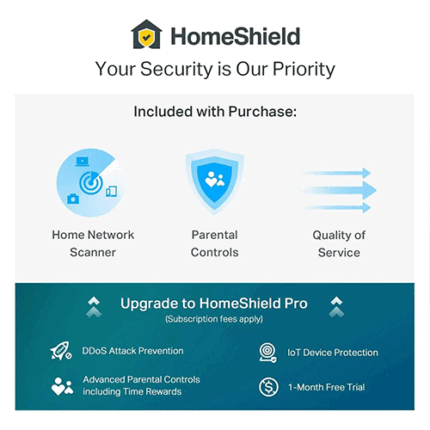
- TP-Link HomeShield – TP-Link's premium security services keep your home network safe with cutting-edge network and IoT protection.
TP-LINK Deco M5 AC1300
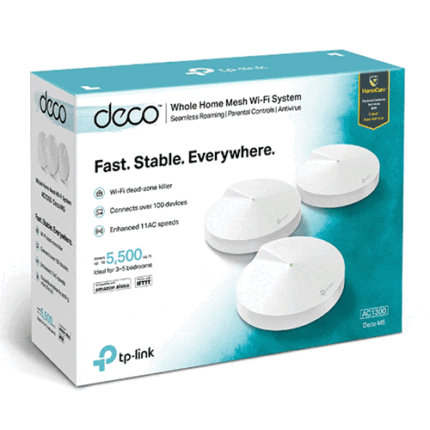
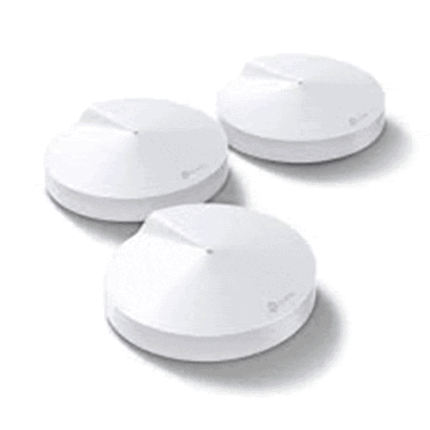
- Deco uses a system of units to achieve seamless whole-home Wi-Fi coverage — eliminate weak signal areas once and for all!
- With advanced Deco Mesh Technology, units work together to form one unified whole-home network with the same network name. Devices automatically switch between Decos as you move through your home for the fastest possible speeds.
- A Deco M5 three-pack delivers Wi-Fi to an area of up to 5500 square feet, while a Deco M5 two-pack delivers up to 3800 square feet. And if that’s not enough, simply add more Decos to the network anytime to increase coverage.
- Deco M5 provides fast and stable connections with speeds of up to 1267Mbps and works with any internet service provider (ISP) and modem.
- Deco can handle traffic from even the busiest of networks, providing lag-free connections for over 100 devices.
- TP-Link HomeCareTM provides a suite of personalized and secure features, including Parental Controls, built-in Antivirus and Quality of Service (QoS).
- Setup is easier than ever with the Deco app there to walk you through every step.
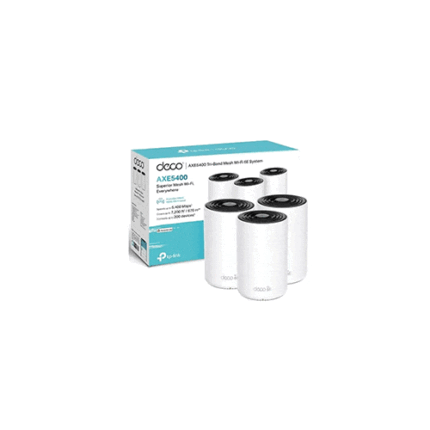
TP-Link Deco Axe5400 6E
- Boosted Seamless Coverage — Mesh WiFi coverage up to 7,200 ft2 (3-pack), 5,500 ft2 (2-pack), and 2,900 ft2 (1-pack).†
- True Tri-Band Speed – All three WiFi bands work together to unleash your network’s total speeds up to 5,400 Mbps for 200 devices†
- AI-Driven Mesh – Unites your home under one name and password while delivering the best connections as you move room to room‡
- TP-Link HomeShield – Provides comprehensive network protection, robust parental controls, and real-time IoT security*
- Universal Compatibility – Backward compatible with all WiFi generations and works with any internet service provider (ISP) and modem☆
- Setup Made Easier Than Ever – The Deco app walks you through setup step-by-step.