
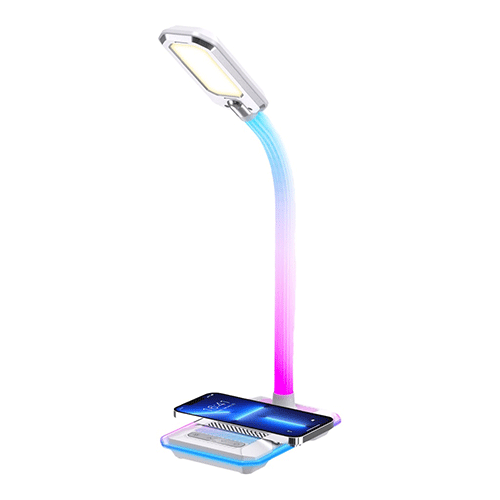
Porodo Gaming E-Sports Desk Lamp with Charging Base
KSh 6,500.00
- Plug & Play
- Brightness Levels
- Colorful Light Adjustment
- Viewing Angle Adjustment
- Power Plug: 3-Pin UK Plug
- Color: White
- Wireless Output: 10W Max
- USB Output: 5V/2.1 A
- Input: 12V/2.5 A
- Color Temperature: 5000±283 K (Cool Light), 283±3000 K (Warm Light), 500-400 LM (Cool and Warm Light)
- Luminous Flux: 250±50 LM (Cool Light), 50±200 LM (Warm Light), 500-400 LM (Cool and Warm Light)
Kindly Note: Prices and Stock Status are Subject to Change without Prior Notice
Porodo Gaming E-Sports Desk Lamp with Charging Base in Kenya
Porodo Gaming E-Sports Desk Lamp with Charging Base price in Kenya is Kshs 6,500.The Porodo Gaming E-Sports Desk Lamp Charging Base is essential for gamers and e-sports fans, combining great lighting with charging convenience. With 10W max wireless output, you can charge devices easily. It offers various brightness levels and color modes for the perfect gaming atmosphere. The colorful light base brightens your desk with beautiful colors. It has a DC input port and a USB output port for easy connections. The adjustable LED light lets you customize your lighting, while the ability to angle each panel up to 90 degrees provides flexibility. It optimizes viewing and reduces eye strain during long play sessions. It comes with a UK 3-pin plug, making it ready to use. The Porodo Gaming E-Sports Desk Lamp Charging Base upgrades your gaming space.Buy Porodo Gaming E-Sports Desk Lamp with Charging Base at Starmac Kenya.
Related products
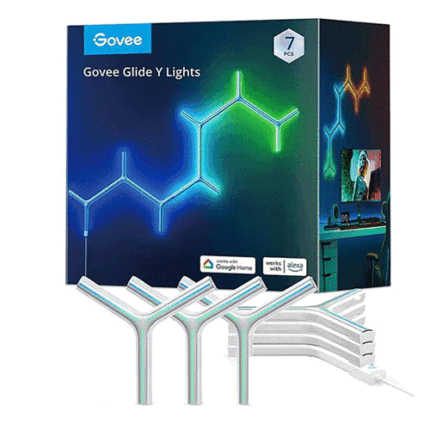
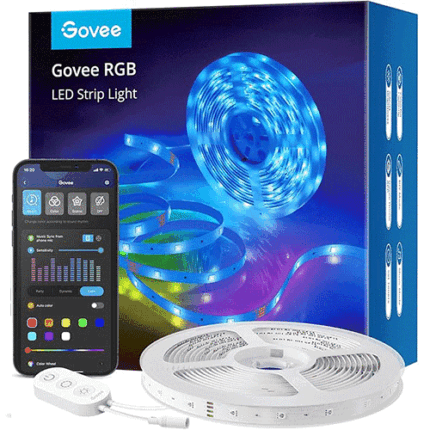
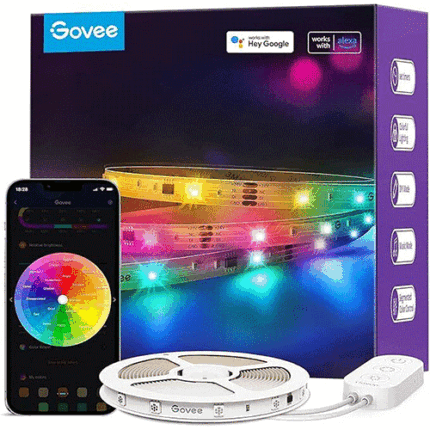
Govee Alexa LED Strips 5m
- Works with Alexa and Google Assistant: You can turn your LED strip on and off with simple voice commands, change colours and adjust the brightness. Without stirring a finger, you can control your light environment
- Smart app control: With the Govee Home app, you can remotely control your 5-m LED strips via WiFi and Bluetooth. In addition to choosing 16 million colours, you can also adjust the music mode and DIY mode. (Note: Only 2.4 GHz supported)
- Music sync: Choose a music mode and watch your lights move rhythmically to your favourite music. Dynamic mode is perfect for lively parties, while static mode is suitable for relaxed gatherings
- Multiple scenic options: Govee 5-m LED fairy lights can decorate several places in your home. Use them to brighten up your everyday life, set the mood in the bedroom or to liven up party in the living room
- DIY function: Create your own DIY icon, choose your favourite effects, use the smart colour selection and much more to create the colours you prefer most - all within the Govee Home app
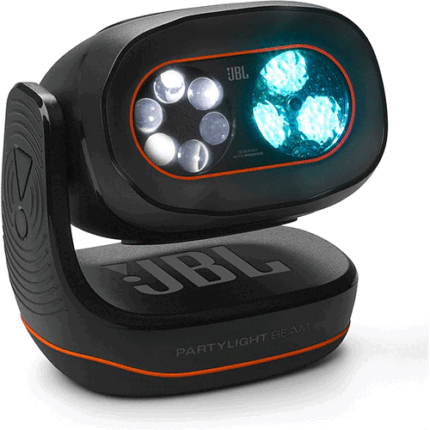
JBL PartyLight Beam Bluetooth Projection Light
- Take your party to the next level
The JBL PartyLight Beam syncs automatically with JBL PartyBox* lightshow or your music, turning your party into an awesome sensory experience.
*Auracast enabled - Room-filling party atmosphere
Just one JBL PartyLight Beam can fill a room up to 400 square feet (40 square meters) with 20 watts of immersive light shows. - Choreographed Lightshow
With multiple JBL PartyLight Beams connected together, the built-in music detection algorithm will create an even bigger group lightshow—all in less than a minute. - Built-in mic with a music detection algorithm
Even though the JBL PartyLight Beam is designed to pair with PartyBox speakers, you can also use it on its own. Featuring a built-in microphone and a music detection algorithm, the JBL PartyLight Beam automatically identifies and syncs to any music device that’s playing. - Match your energy
Set the mood of the moment with adjustable motion, speed, and intensity levels that take the vibe from mellow to medium to peak party excitement. - JBL ONE app / PartyBox app
Use the JBL ONE app or PartyBox app to adjust lightshow’s speed, colours, patterns and even connect multiple JBL PartyLight Beams, right at your fingertips. - Easy to turn the light on and off
Rotate the JBL PartyLight Beam to turn it on. Swing it back into position to turn it back off. It’s that simple.