

HUION Kamvas 22 Plus Pen Display Graphics Drawing Tablet with Stand
KSh 79,000.00
- Brilliant Colors: Enjoy 16.7millions vivid and lifelike color from 140% color gamut volume with Quantum Dot which prodcues purer, richer colors than regular LCD screen.
- Full Lamination: The laminated screen helps reduce the parallax to the lowest so your cursor is where you expect to be.
- Glare-Free: The etched glass screen reduces glare and reflections while providing a distinct, tactile experience when you draw. It feels as nature as drawing on paper.
- More Screen, More Space: 21.5” full HD display provides you great clarity and more room to work on. No need to keep switch windows or moving between different screen.
- Premium Pen Performance: Powered by PenTech 3.0, digital pen PW517 offers amazing precision & control over every line with no noticeable lag & wobble – just like a standard pen. Two customizable buttons allow for easy access to shortcuts
- USB-C Connection: Get connection done faster with a full-featured USB-C cable and get a clutter-free workspace.
- Multi-OS Compatibility: Kamvas 22 plus drawing monitor is compatible with Mac (MacOS 10.12 or later),PC (Windows 7 or later), Linux(Ubuntu) and certain Android devices (OS version 6.0 or later).
- Create In Comfort: Kamvas 22 Plus comes with a stand that can easily adjusts to your preferred working position, so you can work in complete comfort.
Kindly Note: Prices and Stock Status are Subject to Change without Prior Notice
Out of stock
HUION Kamvas 22 Plus Pen Display Graphics Drawing Tablet with Stand Price in Kenya
HUION Kamvas 22 Plus Pen Display Graphics Drawing Tablet with Stand Price in Kenya is Ksh 79,000. Huion tablets are well compatible with office software like Microsoft office Word, Excel, Power Point. It is ideal for online teaching, remote work, web conference, presentation and so on.
Important Notices:
1. Kindly note that Kamvas 22 Plus is NOT a standalone product. It needs to be connected to a computer/laptop to work.
2. Connection Tips:
- The Kamvas 22 Plus is coming with 2 USB-C ports, which support both 3-in-1 USB-C connection(HDMI Signal) and full-featured Type-C connection (DP Signal).
1) For the 3-in-1 USB-C cable,
- your computer needs to have HDMI and USB ports available for the connection, if not, you need an adapter to convert for the connection. Please be assured the USB cable & HDMI cable securely plug into your computer.
- It is only coming with a US power adapter (suit for 110V-240V). If you need EU or other power adapters, please ask us for further information.
2) For the full-featured Type-C cable,
- It is included in the package content.
- supports Type-C to Type-C connection and no need to have HDMI port or HDMI adapter.
- Extra power supply is needed.
- The type-c port of your PC or Android devices need to supports USB3.1 GEN1 data transfer protocol and DP1.2
3) Connection with Android devices,
- Full-featured Type-C cable is needed if you want to connect Kamvas 22 Plus with Android devices.
- Extra power supply is needed under connectivity with Android device.
- Please note that not all Android phones support full screen mode. Full screen mode is only available for the Android devices which support desktop operating system for PC mode or DEX mode.
4) List of Compatible Android Devices:
- SAMSUNG Galaxy Note 8/ Galaxy Note 9/ Galaxy Note 10/10+/10+5G/ Galaxy Note 20/20 Ultra 5G/ Galaxy S8/S8+/ Galaxy S9/S9+/ Galaxy S10/S10+/S10e/ Galaxy S20 5G/S20+ 5G/S20 Ultra 5G/S20 FE 5G/ Galaxy S21 5G/S21+ 5G/S21 Ultra 5G/ Galaxy Z Fold/ Galaxy Z Fold 2/ Galaxy Z Fold 3 5G/ Galaxy A90 5G/ Galaxy Tab S4/ Galaxy Tab S5e/ Galaxy Tab S6/S6 Lite/ Galaxy Tab S7/S7+/S7 FE
- Huawei P20/P20 Pro/P20 RS/ P30/P30 Pro/ P40/P40 Pro/P40 Pro+/ P50/P50 Pro/ Mate 10/Mate10 Pro/ Mate 20/Mate20 Pro/Mate20 X/ Mate 30/Mate30 Pro/Mate 30 RS/Mate 30E Pro/ Mate 40/Mate40 Pro/Mate 40 Pro+/Mate 40 RS/ Mate X/ Mate X2
3. Driver Installation Tips:
- Huion driver will be regularly updated, so please go to Huion official web to download the newest driver, and install it on your computer.
- Before installation, please uninstall Other Brand’s Driver and reboot your computer. And please close all drawing program when installing the driver.
- For Mac Mojave (10.14) Users, please Add the “TabletDriverAgent” into the whitelist first after installing the driver on your computer.
- Please be sure that Huion driver is compatible with the newest Mac OS 10.15 Catalina.
4. Huion PenTech 3.0
- adpots Capacitive Pressure Sensor and stable pen nibs to provide real pen-writing feeling.
Related products
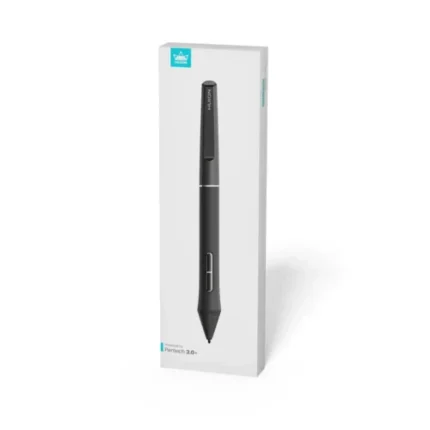
Huion PW550 battery free stylus pen
- Battery-free EMR technology – no charging or batteries needed
- 8192 pressure levels for precise and smooth line variation
- ±60° tilt support for natural shading and brush effects
- PenTech 3.0+ technology for improved accuracy and responsiveness
- 2 programmable side buttons for shortcuts and workflow control
- Lightweight ergonomic design for comfortable long use
- Designed for select Huion Inspiroy & Kamvas series devices only
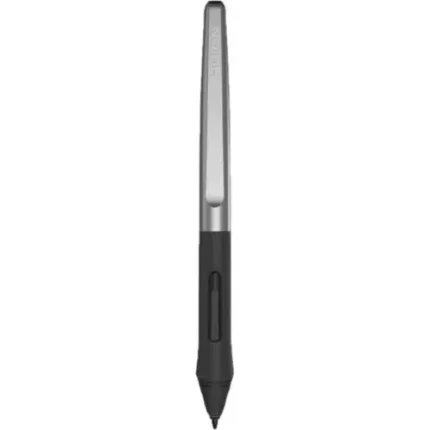
Huion PW100 Battery-Free Stylus Pen
- Battery-free EMR technology – no charging required
- 8192 pressure levels for smooth and precise drawing control
- ±60° tilt support (on supported tablets) for natural shading
- Lightweight ergonomic design (~13g) for comfortable long use
- 2 side shortcut buttons for quick actions
- Stable and responsive tracking for drawing, writing, and design
- Designed for selected Huion Inspiroy tablets only (not universal)
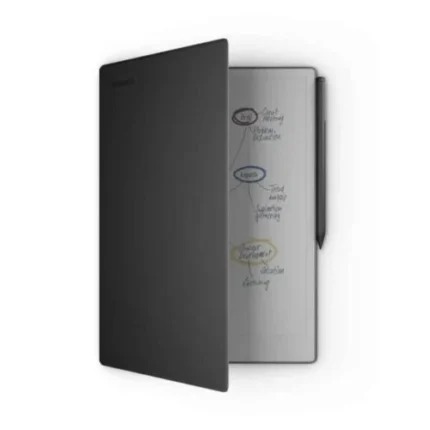
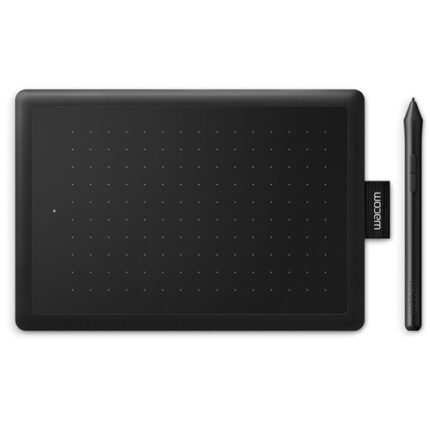
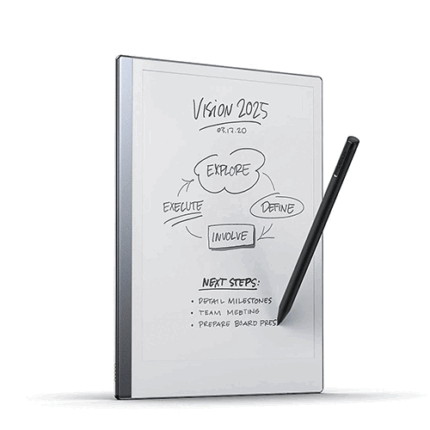
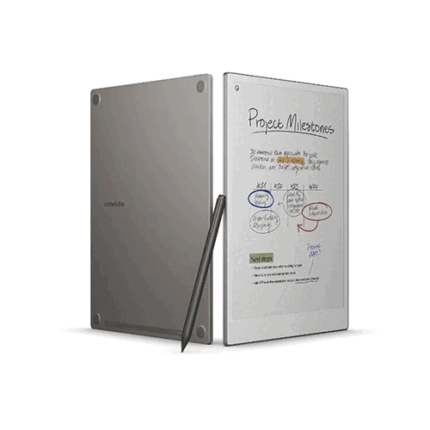
reMarkable Paper Pro
-
Google Drive, Dropbox, and OneDrive integration
Access popular cloud storage services right from your paper tablet to improve your workflow. Browse stored files, copy them to your reMarkable, and upload documents directly to your chosen service.
-
Take notes directly on PDFs
Read and review reports and presentations on an immersive and eye-friendly display, and write your thoughts directly onto the page. Signing PDFs and annotating documents has never been easier.
-
Send content to your reMarkable
Save any web page, Microsoft Word document, or PowerPoint presentation to your paper tablet for when you have time to focus and read in-depth. All it takes is a click with our Read on reMarkable extension.
-
Share your screen live
Stream your notes and ideas directly onto a bigger screen. Turn your reMarkable into the perfect digital whiteboard to write, draw, and demonstrate tricky concepts live in meetings.
-
Read in comfort. Day or night.
Unlike most laptops and phones, reMarkable Paper Pro has a low-glare display that reflects natural light. It appears matte, even in bright sunshine, so you can read PDFs and ebooks in color without eye-strain.
-
Two weeks of battery life
With up to two weeks of battery life and 90 days of standby time, reMarkable Paper Pro is always ready to come out of your bag and get to work.
-
Included in the bundle
Marker Plus - The ultimate writing experience on reMarkable Paper Pro with Marker Plus. With the balance and weight of a real pen, carbon-filled tips, and a convenient built-in eraser. Requires no pairing or cables. Locks safely in place magnetically to Paper Pro. Book Folio - Keep your paper tablet and Marker Plus safe in style. With a foldable magnetic Marker strap. Made from premium, responsibly-sourced leather that ages beautifully over time.
-
Connect Subscription
All new Connect subscribers get a 100-day free trial, at the end of the free trial the subscription automatically renews until cancelled